CHROME EXTENSION · BETA v0.1.0
Dizlexic Reading Comfort
Explore the project & download the beta
CHROME EXTENSION · BETA v0.1.0
Dizlexic Reading Comfort
Explore the project & download the beta
Make web pages more comfortable to read. Choose a typeface and adjust text size, line height, letter spacing, and word spacing to suit your reading preferences.
Download beta ZIPDesktop Chrome 106+ · Manual installation required
Applies only when you activate it on the current page. Includes an off switch to restore the original appearance. No account or analytics.
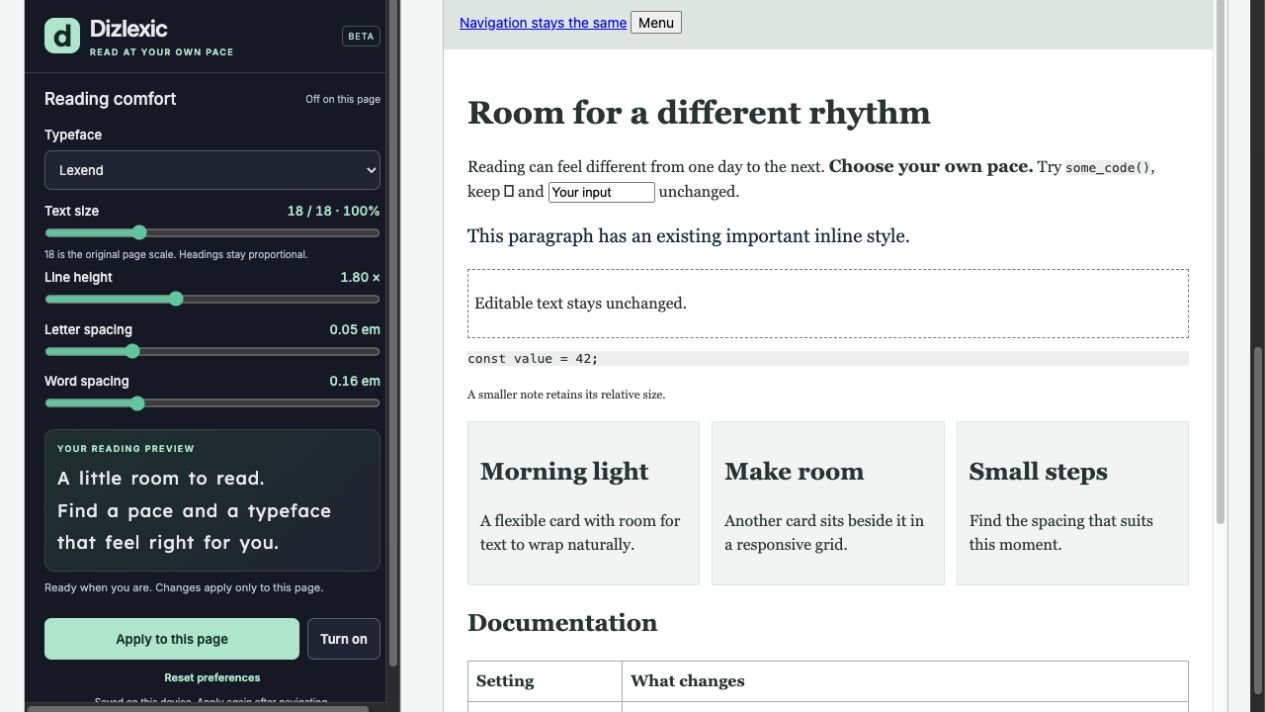
How to install the Chrome beta
- Download the ZIP above and extract it into a folder you will keep on your computer.
- In desktop Chrome, enter
chrome://extensionsin the address bar. - Turn on Developer mode, then select Load unpacked.
- Select the extracted folder containing
manifest.json. - Pin Dizlexic Reading Comfort from Chrome’s Extensions menu.
- Open a regular website, open the extension, choose your preferences, and select Apply to this page.
Before you try it
This is a development beta, not a Chrome Web Store release. Automated checks used simulated Chrome APIs; installation and behavior in native Chrome still need manual verification. Chrome internal pages, the Web Store, PDFs, local files, and pages restricted by browser policy are unsupported.
Your preferences stay in your browser. The extension requests activeTab, scripting, and storage permissions to apply your settings on the page you activate. These are personal reading adjustments, with no guaranteed accessibility or medical benefit.
Send beta feedback ↗